
Totals Only in Report Selections
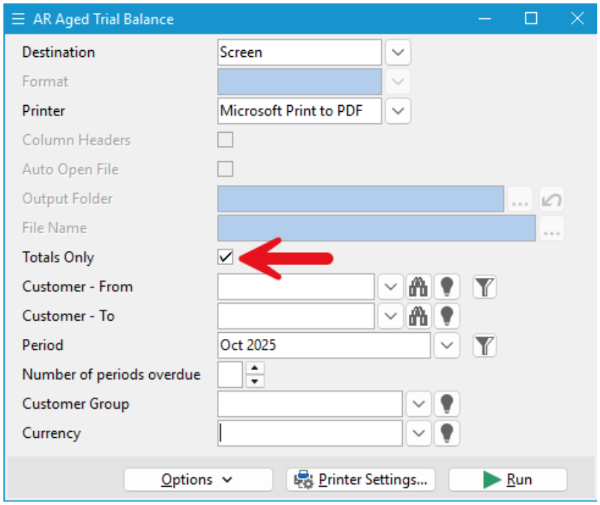
When running reports in Accredo, you don’t always need to see every transaction to get the information you need. The Totals Only report selection allows you to produce clear, high-level summary reports using your existing Accredo report layouts.
What it does
When Totals Only is selected, the report output is collapsed to Group Level 1, or to overall totals when no grouping is defined. Only fields that are grouped or totalled appear in the report output; all detailed lines are excluded.
Why it’s useful
- Designed for Accredo reporting workflows – Ideal for financial, sales, and purchasing summaries.
- Clear, uncluttered output – Focuses attention on totals rather than transaction detail.
- Flexible report reuse – Switch between detailed and summary views without modifying the report layout.
- Management-ready results – Produces reports that are easy to review, share, and export.
Where it shines
- General Ledger and Trial Balance summaries
- Sales or purchasing reports grouped by customer, supplier, or item
- Period-end and management review reports
- Control and reconciliation reports requiring totals only
The Totals Only report preference gives Accredo users precise control over report output, helping deliver exactly the level of detail needed for each reporting audience.
« Back to articles
