
No Activity Product Report
Want to identify products that haven’t moved recently? The No Activity Product Report in Accredo helps you quickly spot inactive items.
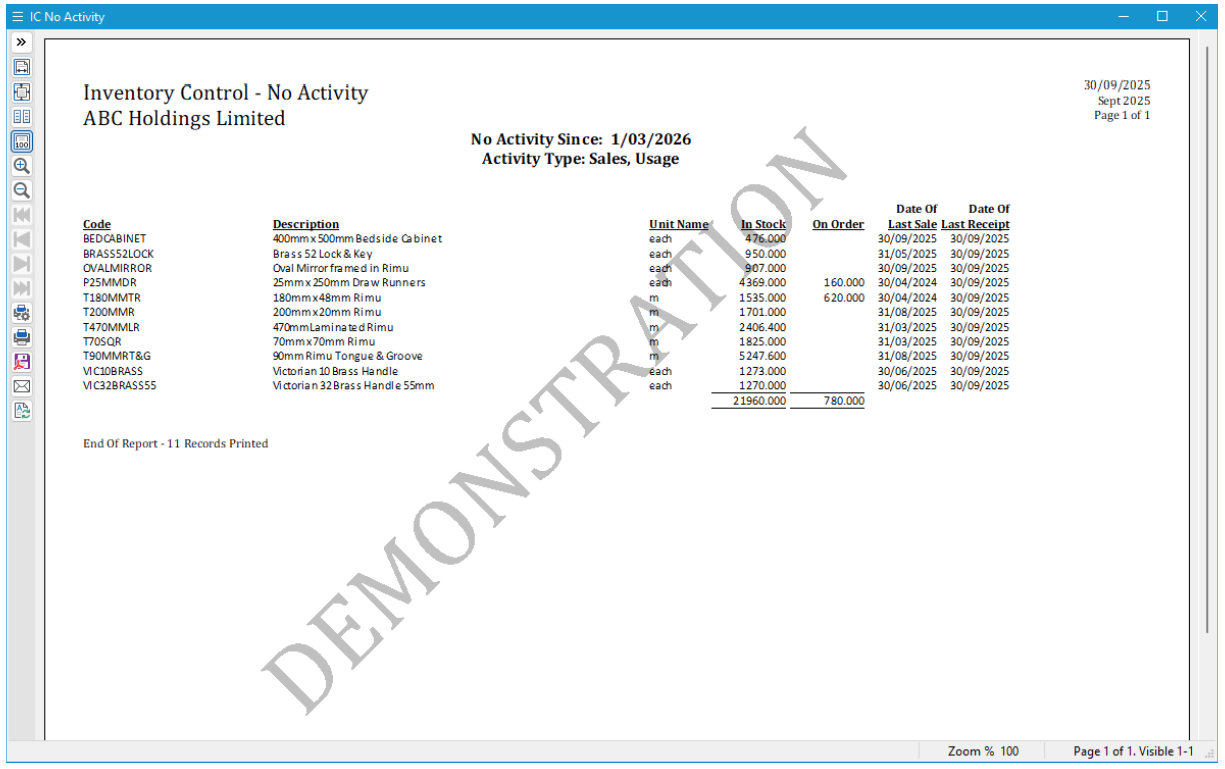
This report highlights products with no activity since a specified date, with activity types you can choose based on what you want to analyse:
- Sales
- Usage
- Receipts
- Manufacture
- Stocktake
This flexibility lets you tailor the report to your needs—whether you're checking for items with no sales, no stock movement, or no activity at all.
How to add the report:
Go to Reports > Inventory Control > Product Reports, click Add Layout, and select the No Activity report.
It’s a powerful way to uncover slow-moving or obsolete stock, helping you make smarter decisions around purchasing, promotions, or product clean-up.
« Back to articles
