
Company Settings Log
Need to check who changed a setting — or when a permission was updated?
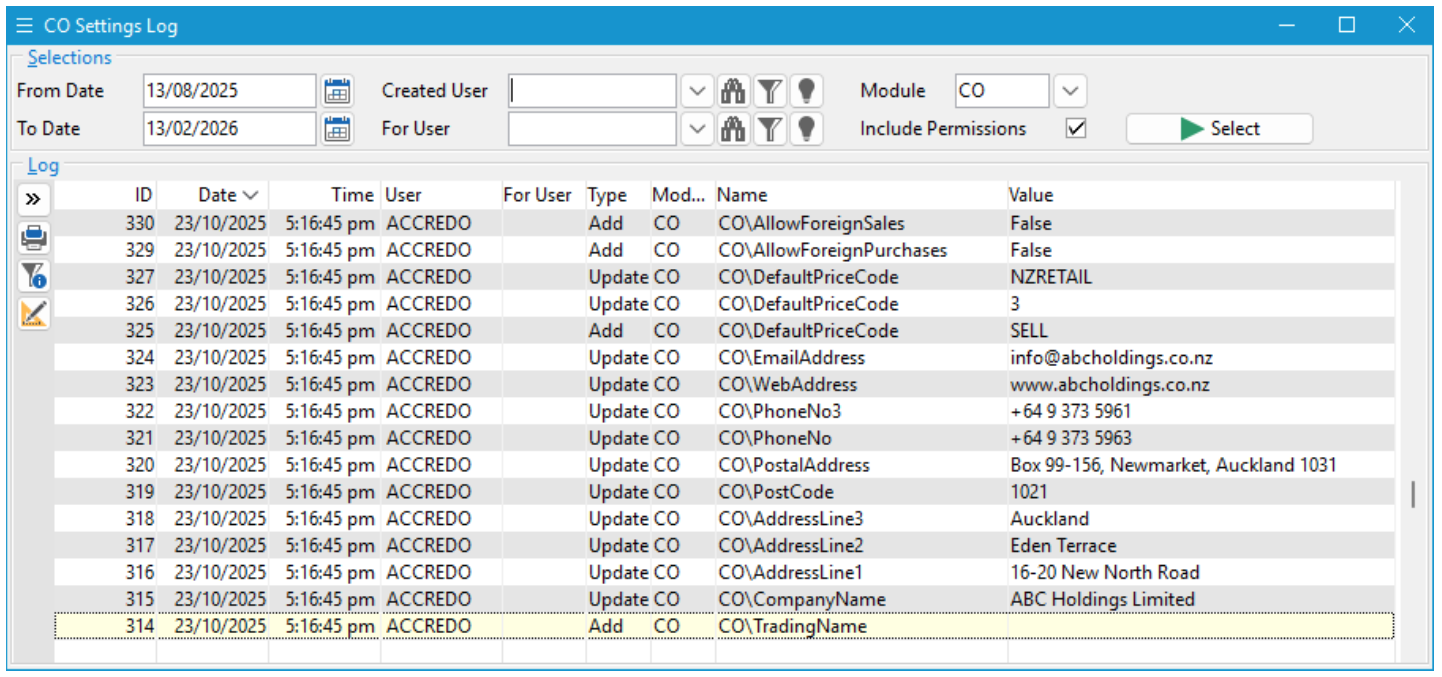
The Company Settings Log gives you a clear history of changes made to Settings and Permissions across all modules.
Navigator > Setup > Company > Settings Log
Clear Visibility of System Changes
For every update, the log shows:
- The date and time of the change
- The user who made it
- The user or group affected (for permission changes)
- The module involved
- The setting or permission updated
- The new value applied
Each entry is recorded with a unique ID, making it easy to reference specific changes if needed.
The Company Settings Log is a simple but powerful way to keep track of configuration and security updates — helping you stay informed and confident in your system setup.
« Back to articles
