
Company Contacts and Batch Emailing
Company Contacts provide a central place to manage the people you want to communicate with across your business. They can include standalone contacts, as well as contacts added from Customers, Creditors, Users, AR Sales Persons, IC Store Persons, and JC Job Persons.
When a contact is added as a Company Contact, it remains synchronised with the source record. This means email address changes only need to be made once, ensuring your communications always use up-to-date information.
Company Contacts are tightly integrated with Company Batch Email and the Accredo Mailer.
- From the Company Contact List, selected contacts can be pushed directly into a Company Batch Email.
- Use Company Batch Email to send internal communications such as staff updates, policy changes, system notices, meeting reminders, or company-wide announcements.
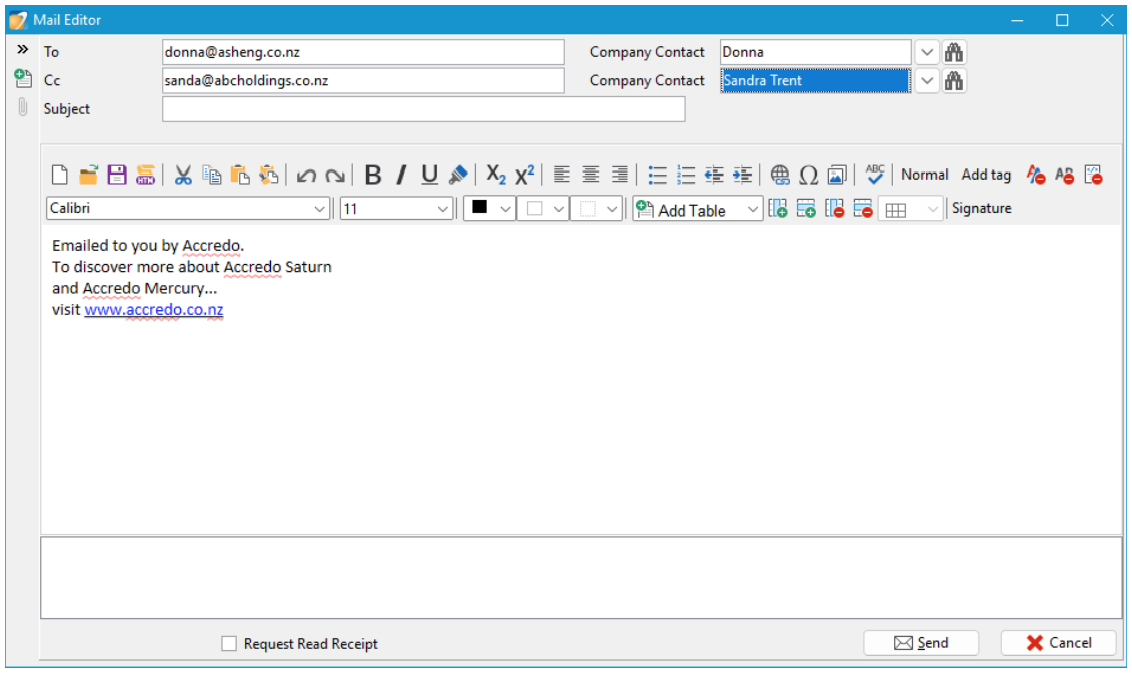
- When composing emails in the Accredo Mailer, Company Contacts can be selected or CC’d using the Company Contact Drop Down or Word Lookup.
Why this is useful
- Provides one central list for internal and business-wide communication
- Speeds up sending emails to groups of staff or key contacts
- Reduces duplication while keeping contact details synchronised
- Ensures accurate and consistent communication across the organisation
Using Company Contacts with Company Batch Email is a simple and efficient way to manage internal communications and keep your contact information organised and up to date.
« Back to articles
