
Close Other Tabs / Windows
Did you know you can quickly clear your workspace and keep just the screen you're working on? Accredo includes a handy Close Other Tabs / Windows option that lets you close everything except the current tab or window.
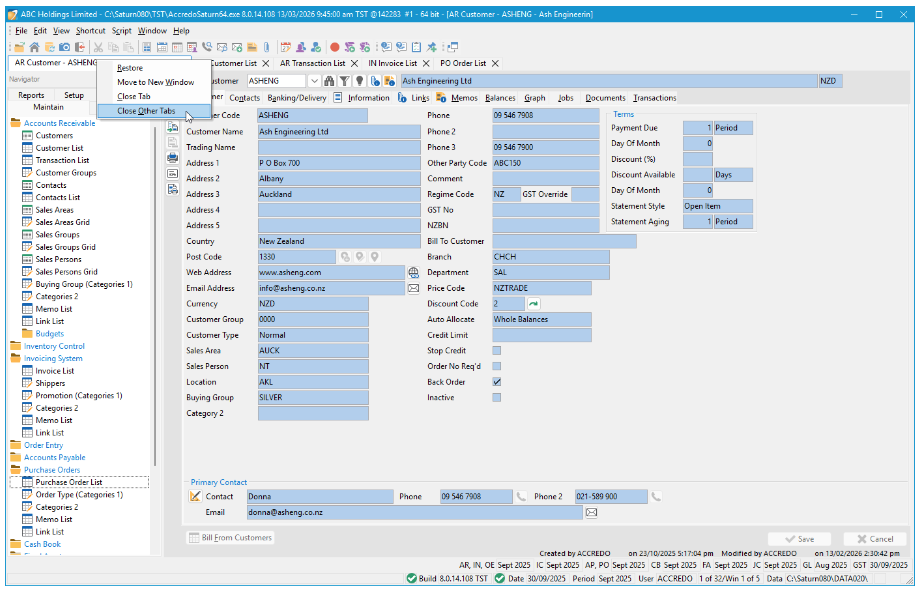
In Tabbed View
1. Right-click the tab you want to keep open
2. Select Close Other Tabs
In Window View or Classic Maximised View
1. Open the System menu by pressing Alt + –, or by clicking the ☰ (hamburger) icon in the top-left corner
2. Select Close Other Windows
It's a quick way to tidy up your workspace and stay focused on the task at hand.
« Back to articles
