
Automatically Remove Stop Credit
Accredo allows you to automatically remove Stop Credit for customers once they have fully paid their account balance (available only if you have Write Permission for Stop Credit).
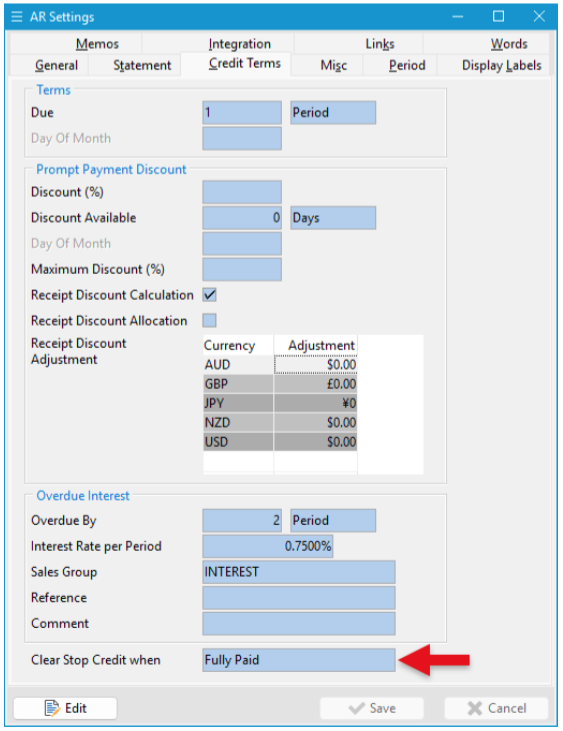
Step 1: Apply the Setting
- Go to Navigator > Setup > Accounts Receivable > Settings > Credit Control Tab.
- Click Edit (F11).
- In the Clear Stop Credit When dropdown, select Fully Paid.
- Click Save (F9).
Step 2: How It Works
When you enter a receipt for a customer on Stop Credit, if the payment equals or exceeds their account balance, Accredo will automatically remove Stop Credit as soon as the receipt is saved.
This is especially useful when reconciling bank statements using Rule Matching to create customer receipts, as you no longer need to manually open each customer record to clear Stop Credit.
Tip
If you want to enable this setting but still wish to review certain customers before allowing further credit (even once they’ve paid in full), apply a $0.01 credit limit to them. This will prompt you to confirm the next invoice on save.
« Back to articles
